Screens
See exactly how Waitmatic looks
Real screens from the app and the customer pages, with demo data. This is what your staff and your customers will use from day one.
Your staff’s phone
Everything happens on one screen
The person at your entrance needs only this app. Big buttons, one tap per step, and it shows whether each customer got the message.
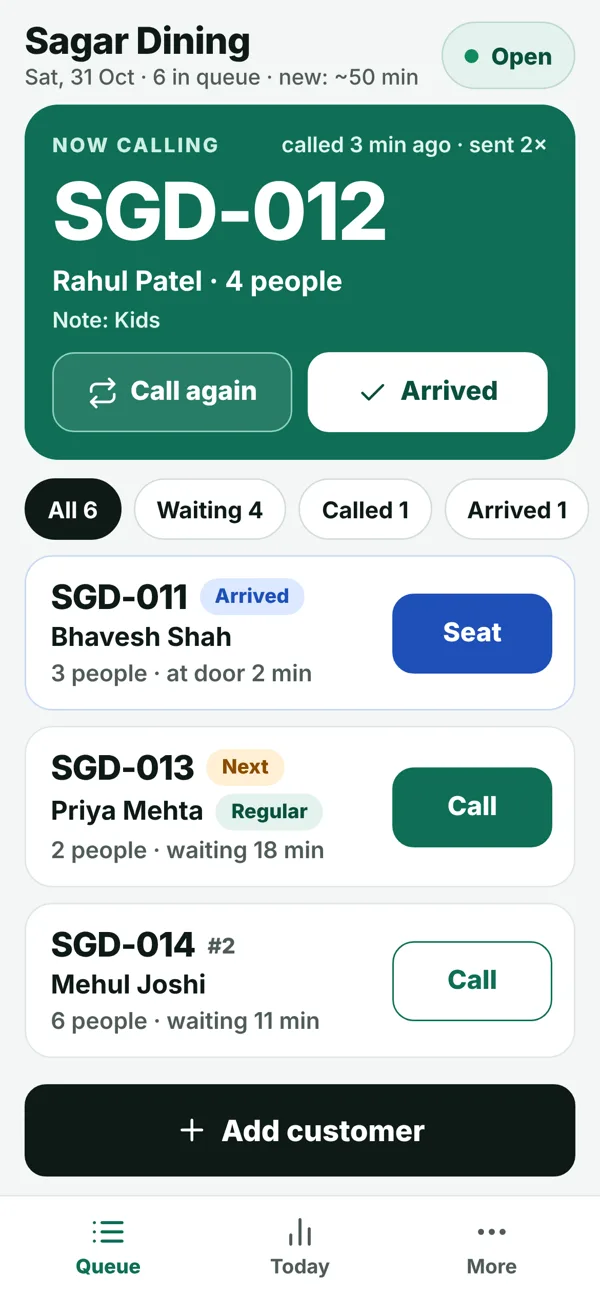
The live queue
Who is being called, who is next, who has arrived. Each token shows “Delivered on WhatsApp” or “Sent by SMS”.
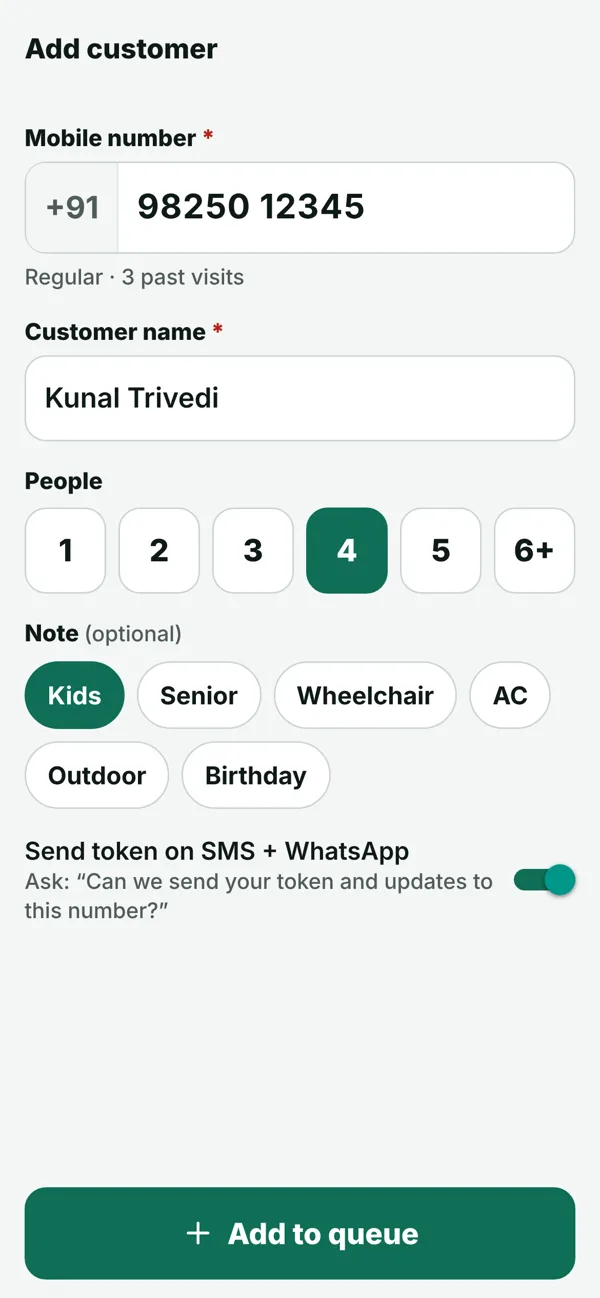
Add a customer in 5 seconds
Mobile number, name, people. Regulars are recognised and filled in.
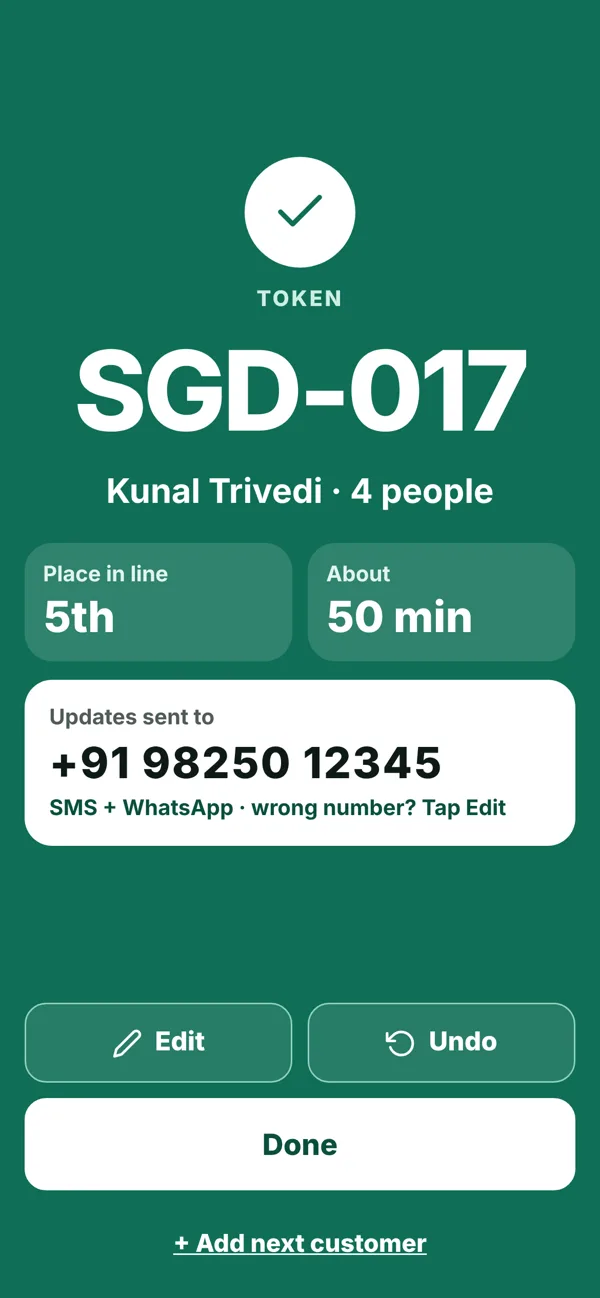
Token created
Show the token to the customer. The WhatsApp message is already on its way — wrong number? Tap Edit.
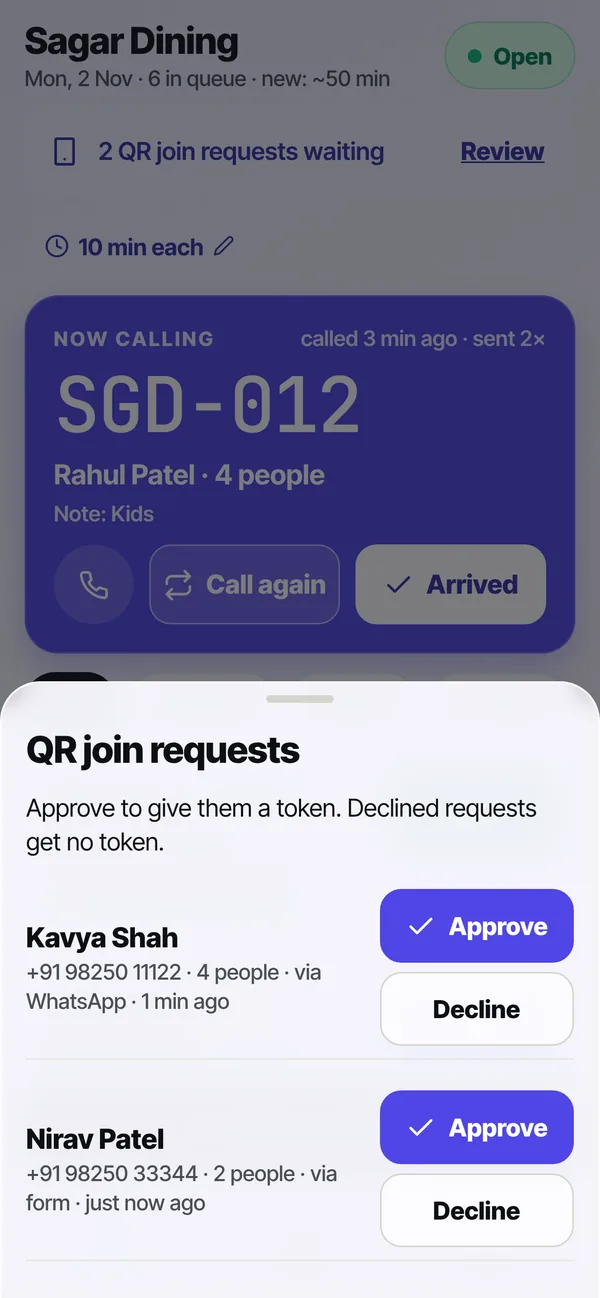
Approve QR joins
If you choose “staff approve”, customers who scan your QR wait here for Approve or Decline.
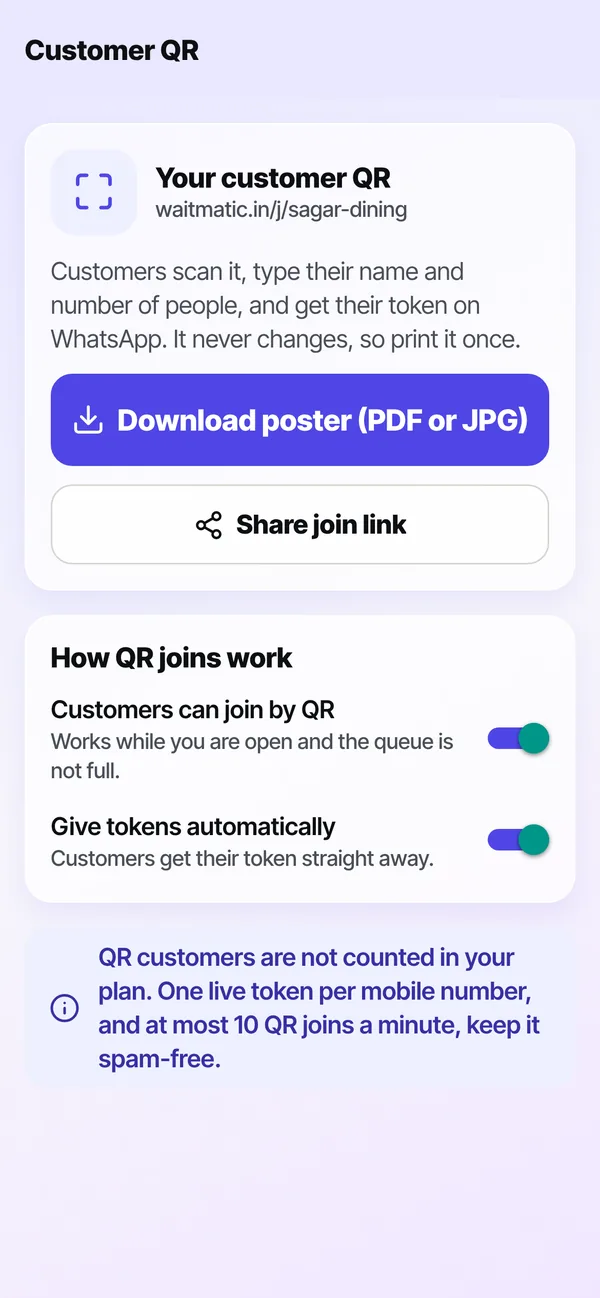
Your customer QR
Download your poster (PDF or JPG), share the join link, and choose automatic or staff-approved joining.
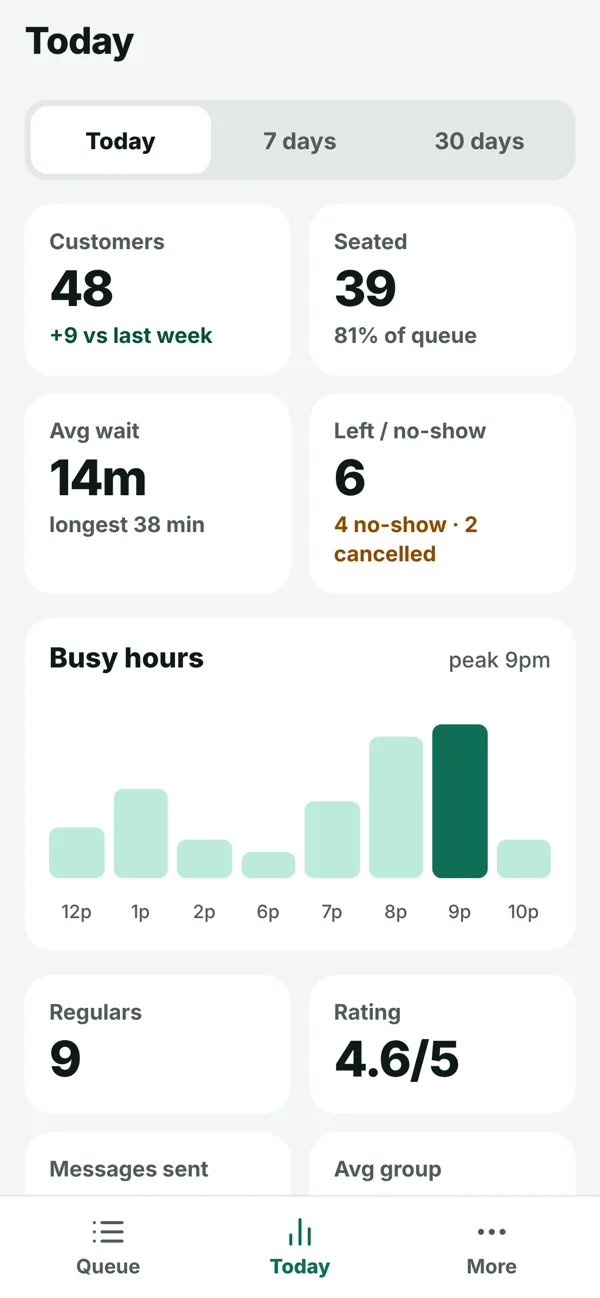
Today’s report
Customers, average wait, no-shows and your busy hours — right on your phone.
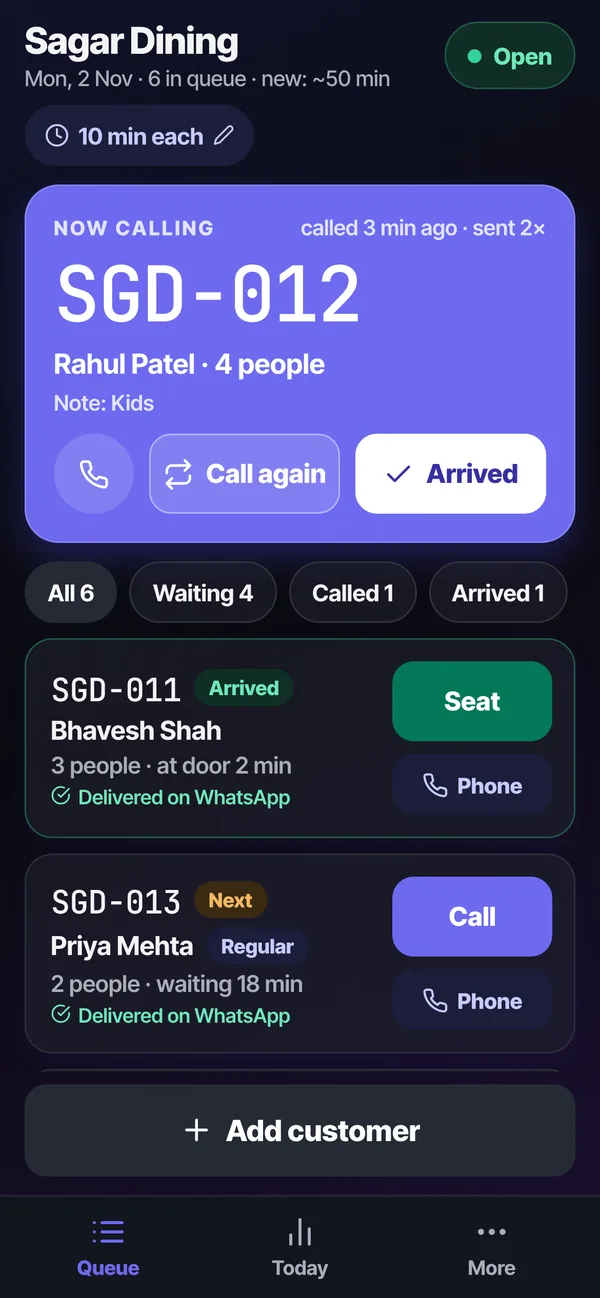
Dark mode
Easy on the eyes in a dim restaurant or late evening clinic. It follows the phone’s setting.
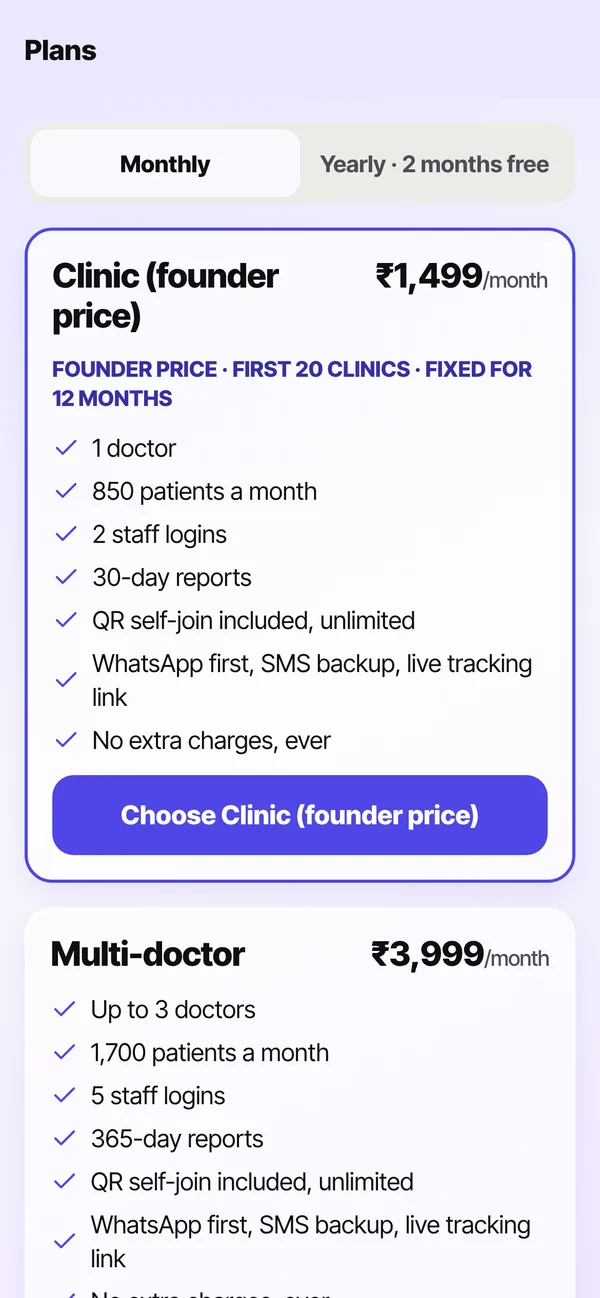
Simple plans
Only the plans for your type of business. One fixed price, no extra charges.
Clinics and salons
The right words for your business
Clinics get one line per doctor, appointment or walk-in, and “doctor delayed” in one tap. Salons get one person per token and their own time per customer.
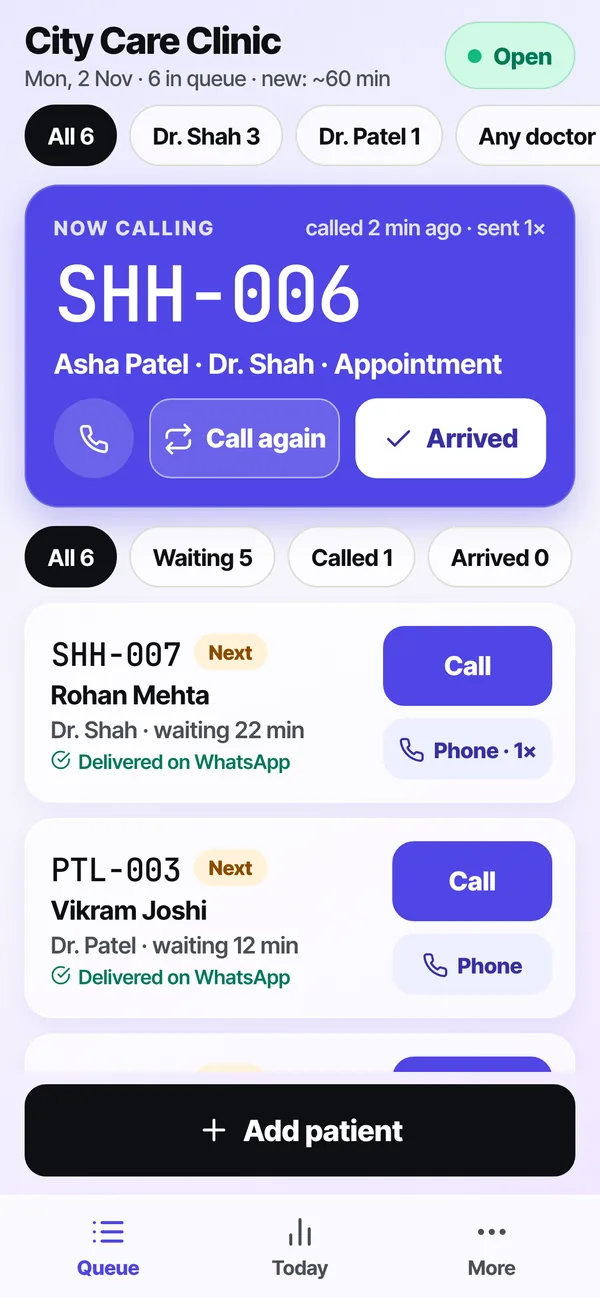
Clinic with two doctors
Filter by doctor. Dr. Shah’s patients get SHH tokens, Dr. Patel’s get PTL, plus an “any free doctor” line.
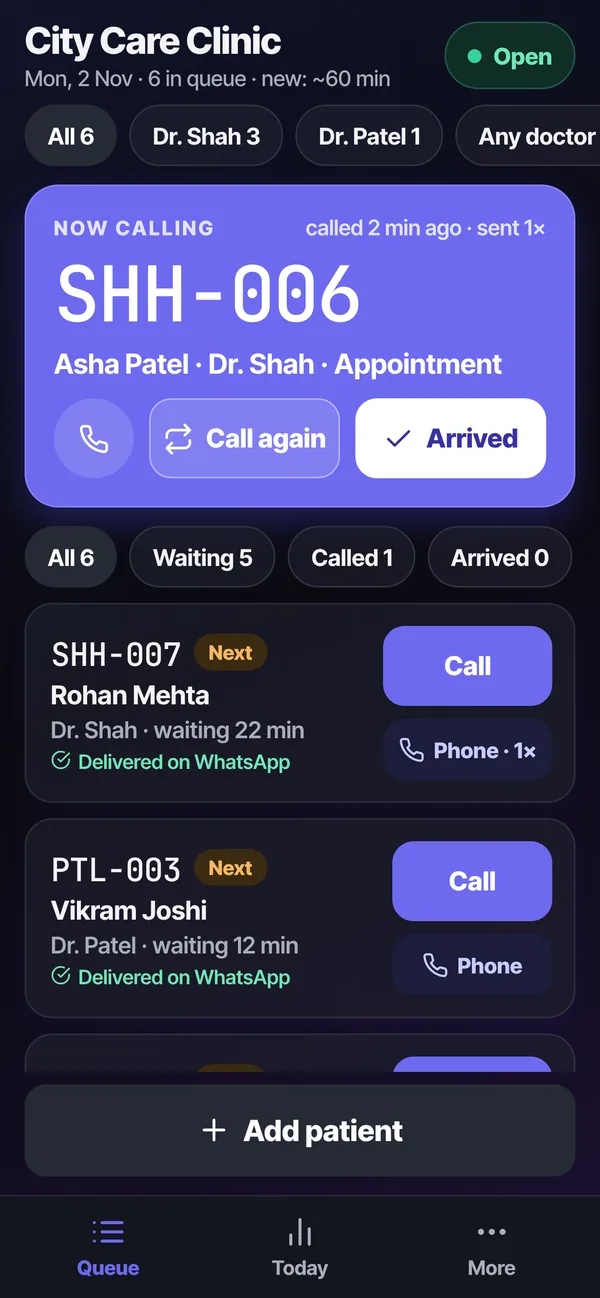
Clinic, dark mode
Patients wait outside the crowded waiting room and come in when called.
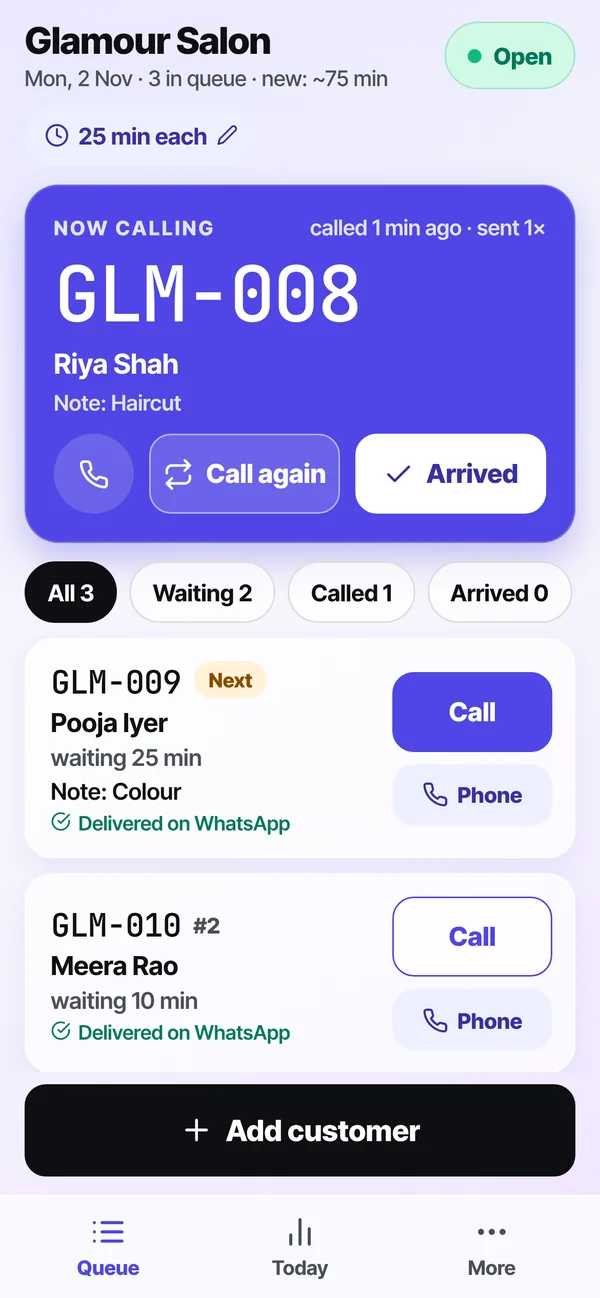
Salon
One person per token, with notes like Haircut or Colour. Clients shop nearby and come back on time.
Your customer’s phone
What your customers see — no app needed
Customers scan your QR or get a WhatsApp message with a link. Everything opens in their phone’s browser.
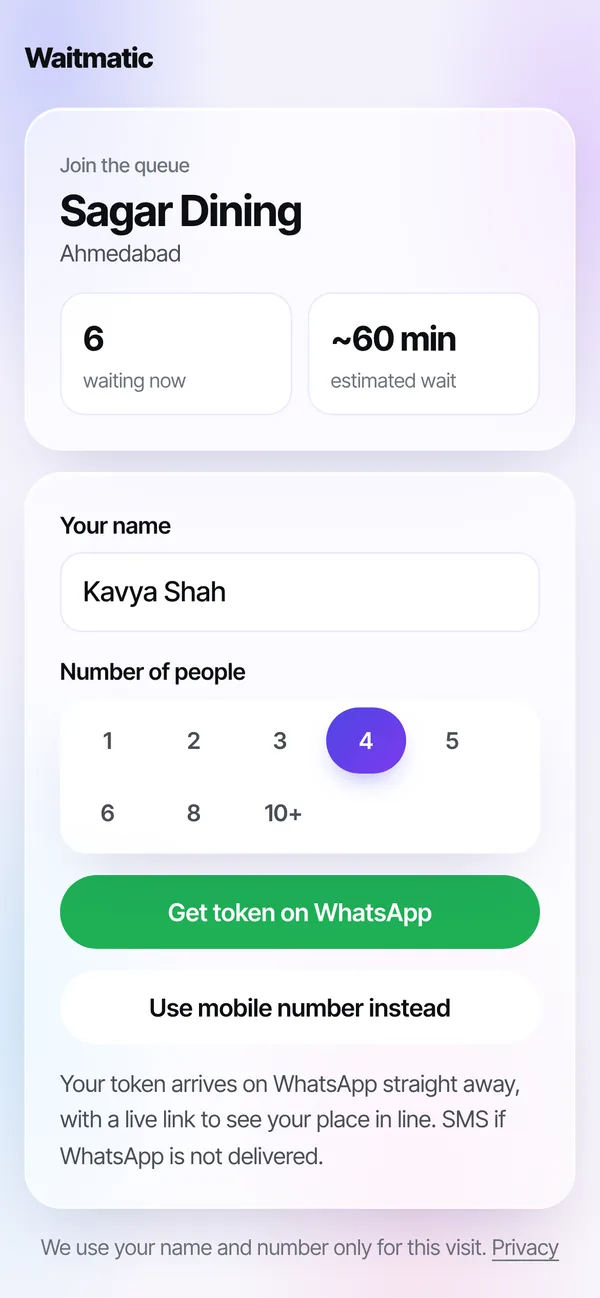
Scan the QR, join
Name and number of people, then “Get token on WhatsApp”. No typing of mobile numbers.
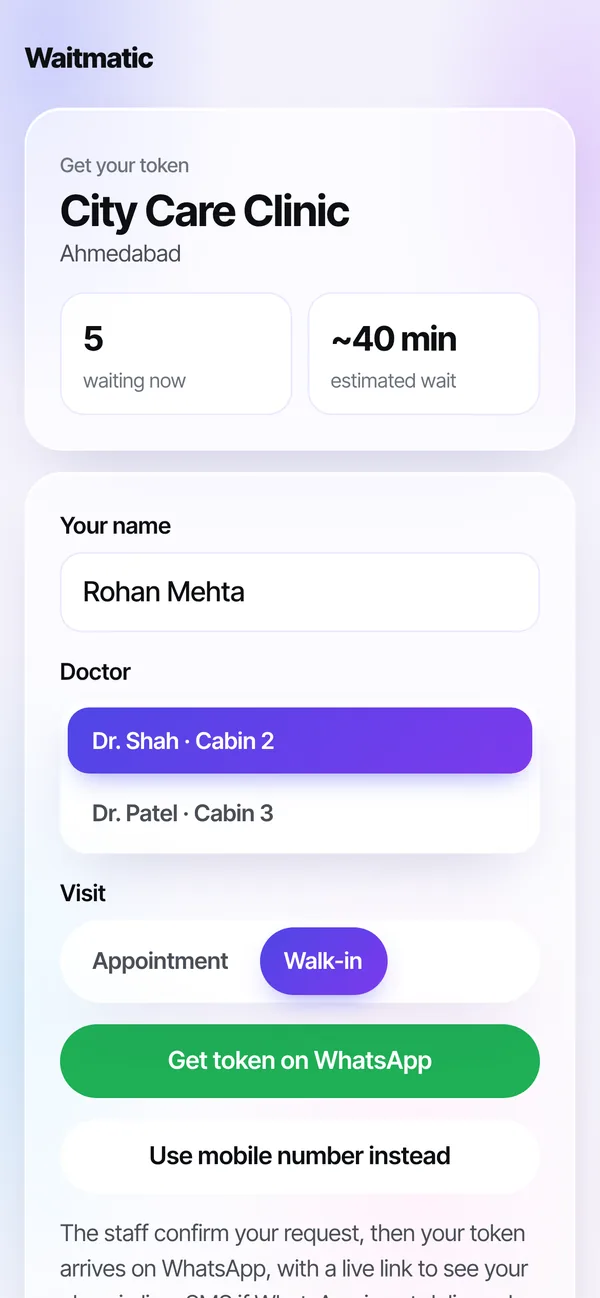
Clinic join
Patients choose the doctor and appointment or walk-in.
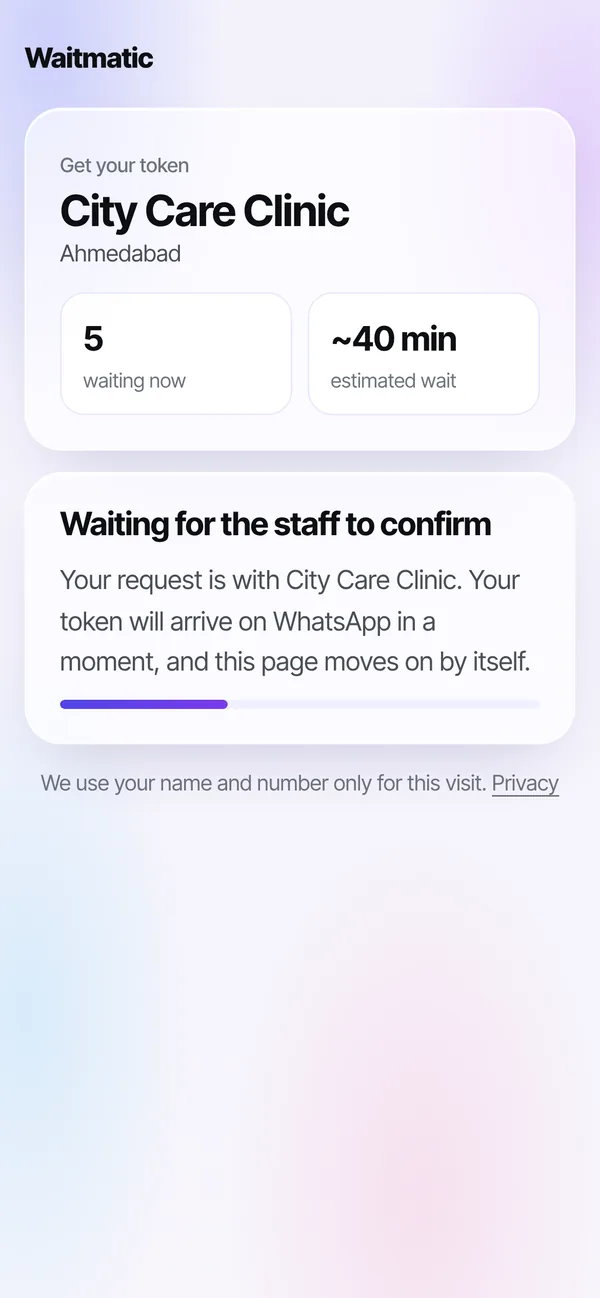
Waiting for approval
Shown only if you chose “staff approve”. The page moves on by itself once approved.
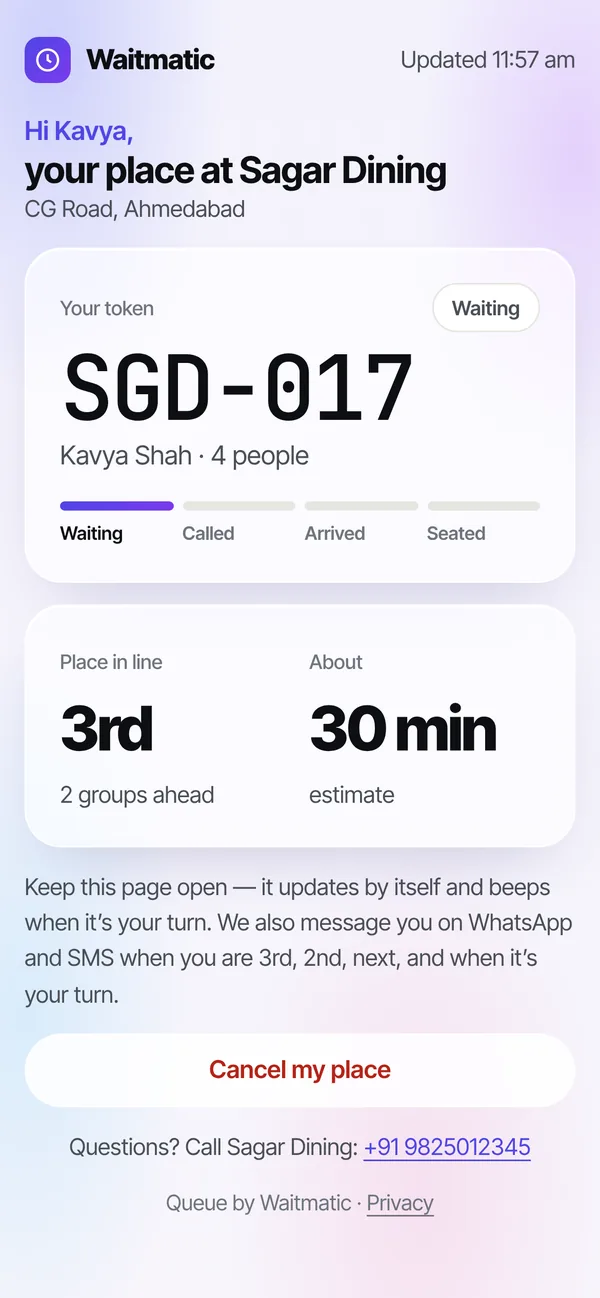
Live place in line
Token, place in line and wait time, refreshing by itself. It beeps when it is their turn.
Your QR poster
Print once. Customers join by themselves.
Made for your business type, with your name on it. Download as PDF or JPG from the app (More → Customer QR). The QR never changes, and QR customers are not counted in your plan.
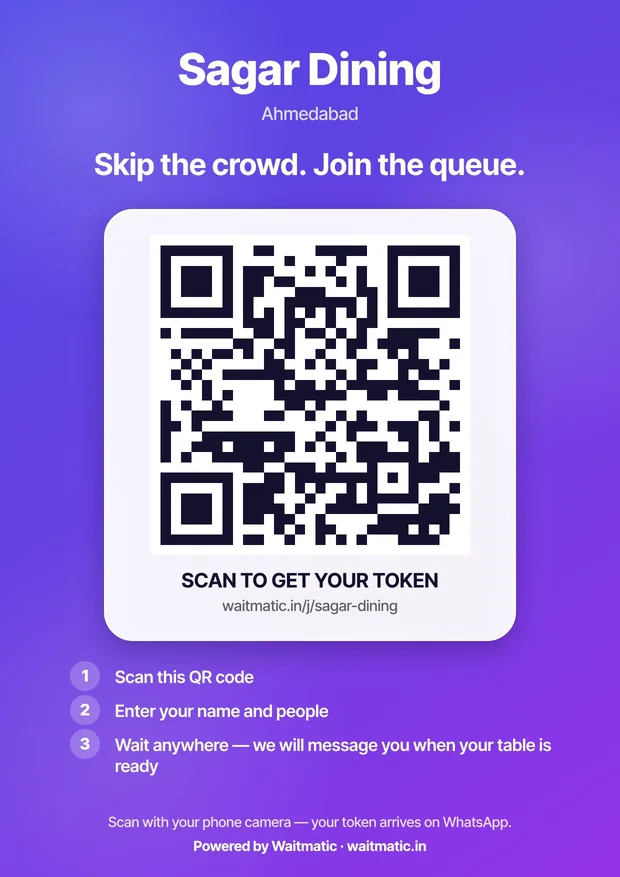
Restaurant poster
“Skip the crowd. Join the queue.”
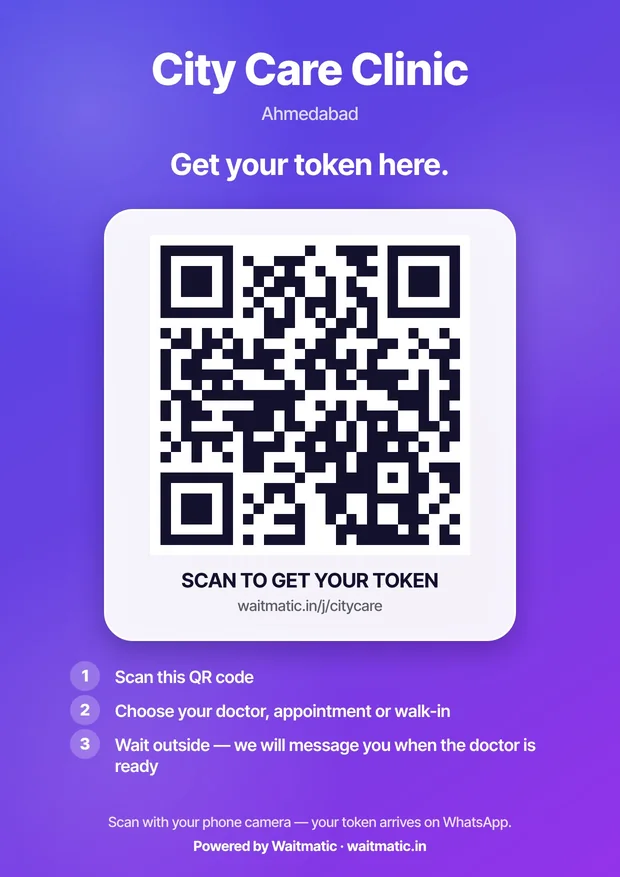
Clinic poster
“Get your token here.” Choose doctor, appointment or walk-in.
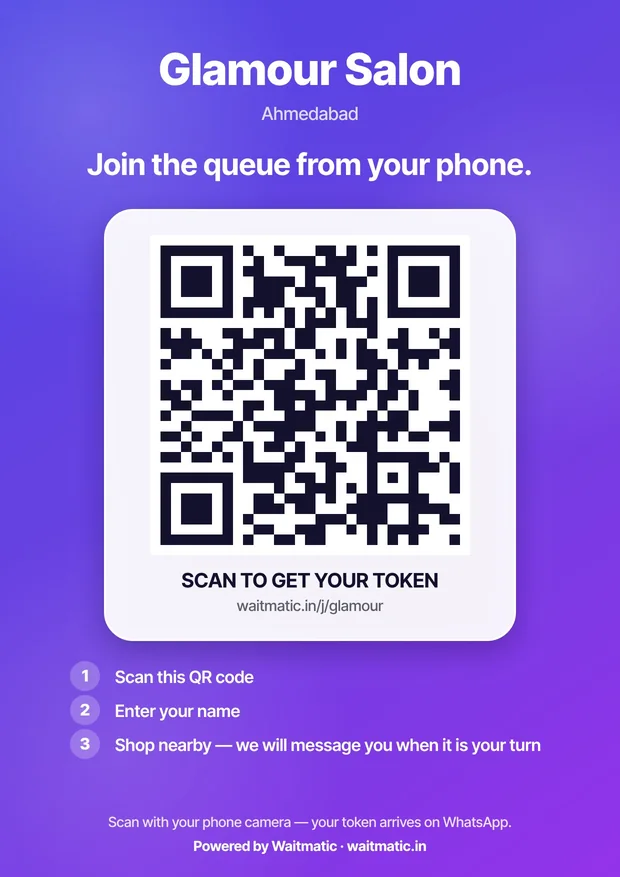
Salon poster
“Join the queue from your phone.”
First month refundable
Clear the crowd at your door this weekend
Set up in 5 minutes and pay monthly. Not happy after the first month? Full refund. We help you set it up over a call.